
How to Close File Descriptors Above 9 in Dash Shell
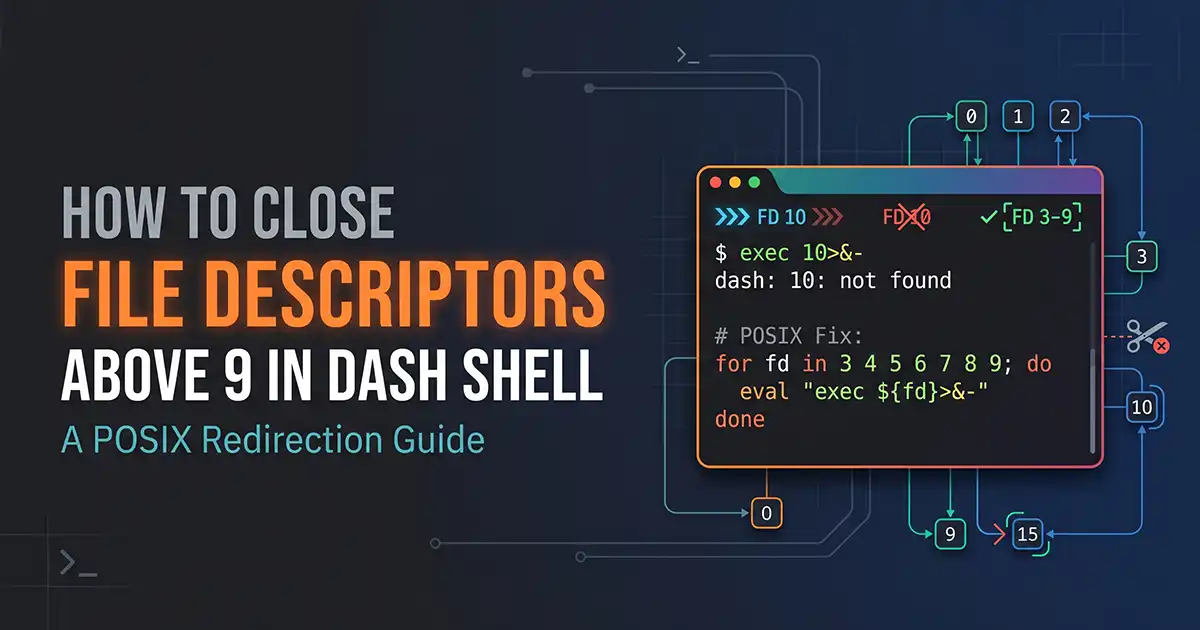
Attempting to close a file descriptor above 9 in Dash using exec 10<&- results in a 10: not found error because Dash's POSIX lexer only recognizes single-digit file descriptors (0–9) in redirection operators. This guide explains the exact parser limitation, why FDs 10+ are reserved for internal shell state, and how to safely close inherited file descriptors using close_range, Python, or Perl wrappers.
8 min read
Attempting to close a file descriptor above 9 in Dash using exec 10<&- results in a 10: not found error because Dash's POSIX lexer only recognizes single-digit file descriptors (0–9) in redirection operators. This guide explains the exact parser limitation, why FDs 10+ are reserved for internal shell state, and how to safely close inherited file descriptors using close_range, Python, or Perl wrappers.
- Understanding File Descriptors in Linux
- Why Closing File Descriptors Above 9 Is Different in Dash
- How to Close a File Descriptor Greater Than 9 in Dash
If you try to close a file descriptor in a Dash shell script when the descriptor number is 10 or higher—for example, running exec 10<&- or eval "exec $fd<&-"—Dash will fail with the error exec: 10: not found.
Unlike Bash, which parses multi-digit integers before redirection operators, Dash strictly follows the POSIX standard where only single-digit file descriptors (0 through 9) are guaranteed for user redirection. When Dash encounters 10<&-, its lexical analyzer does not recognize 10 as an IO_NUMBER token. Instead, it parses 10 as the command name argument to exec and <&- as standard input closure, causing exec to search your $PATH for an executable literally named 10.
Furthermore, Dash reserves file descriptors 10 and above for its own internal operations—specifically for saving redirected file descriptors and reading the script file itself. While you cannot close file descriptors greater than 9 using native Dash redirection syntax alone, you can close leaked or inherited file descriptors above 9 by re-executing the script through a lightweight close_range() syscall wrapper (via Python or Perl) before Dash initializes its internal descriptors, or by setting FD_CLOEXEC in the parent process.
Understanding File Descriptors in Linux
In Linux and POSIX-compliant operating systems, a file descriptor (FD) is a non-negative integer that uniquely identifies an open file, pipe, network socket, or device within a process. Every running shell script inherits an open file descriptor table from its parent process.By convention, the first three file descriptors are pre-assigned to standard streams whenever a process starts:
- Standard Input (
FD 0/stdin): The default data stream read by commands (typically keyboard input or piped data). - Standard Output (
FD 1/stdout): The default destination for normal command output (typically the terminal screen). - Standard Error (
FD 2/stderr): The dedicated stream for diagnostic messages and errors, allowing errors to be separated from standard output. - Additional File Descriptors (
FD 3throughFD 9): User-accessible descriptors used in shell scripts for reading multiple files simultaneously, managing lock files (flock), or handling background IPC pipes without clobberingstdinorstdout. - File Descriptors
10and Above (FD 10+): According to the POSIX specification (IEEE Std 1003.1), whether multi-digit numbers before<or>are treated as file descriptors is implementation-defined. Shells like Dash reserve FDs10+for internal bookkeeping.
Practical Example: Opening and Closing FD 3 in Dash
For single-digit descriptors (3 through 9), Dash supports opening, writing, reading, and closing streams directly in the current shell environment using exec:Bash
#!/bin/dash
# Open /tmp/app.log for writing on File Descriptor 3
exec 3> /tmp/app.log

# Write output directly to FD 3
echo "Service initialized at $(date)" >&3

# Close File Descriptor 3
exec 3>&-
New to stream redirection? Read our foundational guide on Mastering Standard Input, Output, and Error Redirection in Linux.
Why Closing File Descriptors Above 9 Is Different in Dash
When developers migrate scripts from /bin/bash to /bin/sh on Debian or Ubuntu systems (where /bin/sh is symlinked to /bin/dash), loops that sanitize or close high-numbered file descriptors break immediately.
1. The Lexical Parsing Difference (IO_NUMBER Tokenization)
In the POSIX shell grammar, a redirection operator can optionally be preceded by an IO_NUMBER token. The POSIX standard explicitly states that if a redirection operator is preceded by a single digit (0–9) with no intervening whitespace, it is tokenized as an IO_NUMBER. If the string contains more than one digit (such as 10 or 15), POSIX leaves the behavior unspecified.
- How Bash parses
exec 10<&-: Bash's lexer reads consecutive digits adjacent to<or>as a single file descriptor integer. It applies theclose(10)system call in the current shell process. - How Dash parses
exec 10<&-: Dash's parser (src/parser.c) specifically checks whether the token preceding<or>is a single digit. When it sees10<&-, the two-digit string10fails the single-digit check. Dash tokenizes10as a standard word argument and<&-as0<&-(closingstdin).
We can observe this exact failure mode in Dash:Bash
#!/bin/dash
# Attempting to close FD 10 in Dash
exec 10<&-
Output when executed with dash:Plaintext
script.sh: 3: exec: 10: not foundBecause Dash split 10<&- into the argument 10 and the redirection 0<&-, the exec built-in closed standard input (FD 0) and tried to replace the current shell process with an executable file named 10.
2. Why eval Does Not Bypass the Single-Digit Limit
A common misconception in shell script file descriptor handling is that eval is only needed when the descriptor is stored in a variable (e.g., exec $fd<&-). While it is true that parameter expansion happens after redirection parsing—making eval "exec $fd<&-" mandatory for variables 3 through 9—eval does not fix descriptors 10 and above in Dash.When fd=10, eval "exec $fd<&-" expands the string to exec 10<&- and feeds it back into the exact same Dash parser, triggering exec: 10: not found.
3. Dash's Internal File Descriptor "Soup" (FDs 10+)
Even if you attempted to force the closure of file descriptors above 9 inside a running Dash process, doing so is dangerous. When you execute dash script.sh, Dash opens script.sh to read commands and uses fcntl(fd, F_DUPFD, 10) to move the script's own file descriptor to the lowest available number greater than or equal to 10 (often FD 10).Dash also duplicates descriptors to numbers >= 10 whenever it needs to temporarily save and restore stdin/stdout around built-in commands or functions. If you blindly close all file descriptors >= 10 inside an active Dash process, you will close the file descriptor Dash is using to read your script, causing the script to terminate prematurely right after the close command.
How to Close a File Descriptor Greater Than 9 in Dash
To safely close file descriptors above 9 in a Dash shell script—such as when your script is invoked via system("sh script.sh") from a C/C++ daemon or parent program that leaked open sockets or files without O_CLOEXEC—you must perform two distinct strategies depending on the descriptor range:
- For Dynamic File Descriptors
3through9: Use validatedeval "exec ${fd}>&-"in native Dash. - For Inherited File Descriptors
10and above: Re-execute the script at the very top using a lightweight helper (python3orperl) that closes high descriptors before invokingdash, ensuring Dash's own script descriptor is not destroyed.
Complete Working Solution: Closing Inherited FDs (Including 10+) in Dash
The following production-ready /bin/dash script sanitizes all inherited file descriptors above 2 (including 10, 15, and higher) safely without crashing Dash's internal script reader, and provides a native POSIX function for managing FDs 3–9 dynamically.Bash
#!/bin/dash
# File: sanitize_and_manage_fds.sh
# Description: Safely close inherited FDs > 9 and dynamically manage FDs 3-9 in Dash

set -eu

# -----------------------------------------------------------------------------
# PART 1: Close inherited file descriptors >= 3 (including > 9) at startup
# -----------------------------------------------------------------------------
# If the script was launched with leaked FDs >= 3, re-exec once through Python
# (or Perl) so the OS closes FDs 3..MAX before Dash opens the script on FD 10.
if [ -z "${FDS_SANITIZED:-}" ]; then
    export FDS_SANITIZED=1
    if command -v python3 >/dev/null 2>&1; then
        exec python3 -c '
import os, sys
# Close all file descriptors from 3 up to the system soft limit
max_fd = os.sysconf("SC_OPEN_MAX")
if max_fd < 0:
    max_fd = 1024
os.closerange(3, max_fd)
os.execvp(sys.argv[1], sys.argv[1:])
' /bin/dash "$0" "$@"
    elif command -v perl >/dev/null 2>&1; then
        exec perl -MPOSIX -e '
            my $max = POSIX::sysconf(&POSIX::_SC_OPEN_MAX) || 1024;
            for (my $fd = 3; $fd < $max; $fd++) {
                POSIX::close($fd);
            }
            exec @ARGV or die "exec failed: $!\n";
        ' /bin/dash "$0" "$@"
    fi
fi

# -----------------------------------------------------------------------------
# PART 2: Safely close dynamic file descriptors (3-9) in native Dash
# -----------------------------------------------------------------------------
close_posix_fd() {
    target_fd="${1:-}"

    # Validate that input is strictly a single digit between 3 and 9
    case "$target_fd" in
        [3-9])
            eval "exec ${target_fd}>&-"
            ;;
        0|1|2)
            printf "Error: Refusing to close standard stream FD %s\n" "$target_fd" >&2
            return 1
            ;;
        ''|*[!0-9]*)
            printf "Error: Invalid file descriptor '%s' (must be an integer)\n" "$target_fd" >&2
            return 1
            ;;
        *)
            printf "Error: FD %s is > 9. Dash only supports native redirection on FDs 0-9.\n" "$target_fd" >&2
            return 1
            ;;
    esac
}

# Verify open file descriptors in the subshell inspecting /proc/$$/fd
printf "Active file descriptors for Dash PID %s:\n" "$$"
ls -l "/proc/$$/fd"
Line-by-Line Explanation
if [ -z "${FDS_SANITIZED:-}" ]; then: Checks a guard environment variable so the script only re-executes itself once.os.closerange(3, max_fd): Invokes the underlying OSclose_range()/close()calls inside the Python process before/bin/dashis re-invoked viaos.execvp(). Because Python closes FDs3throughmax_fdprior to launching the new Dash instance, any leaked FDs (10,15,42, etc.) from the parent caller are cleanly closed, and the newly spawned Dash process safely opens the script file on a clean FD 10.case "$target_fd" in [3-9]): Strictly validates the variable before passing it toeval. Because shell parameter expansion ($target_fd) happens after redirection parsing,evalis required to construct a dynamic redirection in Dash. Whitelisting[3-9]prevents both syntax errors on FDs> 9and arbitrary command injection.eval "exec ${target_fd}>&-": Safely closes the validated single-digit descriptor in the current shell execution environment. Note that in POSIX shells, both<&-and>&-invoke theclose()system call on the target file descriptor number regardless of whether it was opened for reading or writing.
Practical Examples
Below are 6 practical, copyable examples demonstrating how to handle specific file descriptor scenarios in Dash and Linux environments.
1. Closing Inherited File Descriptor 10 Safely
If a parent process specifically leaked FD 10 into your Dash script, you cannot run exec 10<&-. Instead, close FD 10 via Python or Perl wrapper re-execution, or close it for child processes launched from Dash:Bash
#!/bin/dash
# Example 1: Closing a leaked FD 10 before running a daemon or child command
# Even though Dash itself cannot run 'exec 10<&-', we can close FD 10
# before exec-ing our target payload using Python:

close_specific_high_fd_and_run() {
    fd_to_close="$1"
    shift
    python3 -c '
import os, sys
fd = int(sys.argv[1])
try:
    os.close(fd)
except OSError:
    pass
os.execvp(sys.argv[2], sys.argv[2:])
' "$fd_to_close" "$@"
}

# Usage: Close FD 10 and run 'sleep 60'
# close_specific_high_fd_and_run 10 sleep 60
2. Closing File Descriptor 15 Using Linux close_range via Perl
On modern Linux kernels (5.9+), the close_range() syscall closes an entire range of high descriptors in a single kernel call. If FD 15 (or higher) is inherited, you can close it using Perl's POSIX::close:Bash
#!/bin/dash
# Example 2: Specifically close FD 15 when re-executing the script
if [ -z "${FD15_CLOSED:-}" ]; then
    export FD15_CLOSED=1
    exec perl -MPOSIX -e 'POSIX::close(15); exec @ARGV' /bin/dash "$0" "$@"
fi

echo "FD 15 is now guaranteed closed in this Dash session."
3. Closing a Dynamically Stored File Descriptor (FDs 3–9)
When storing a POSIX-valid file descriptor (3–9) inside a variable, writing exec $fd>&- directly will fail because Dash checks for redirections before expanding $fd. You must validate the variable and use eval:Bash
#!/bin/dash
# Example 3: Dynamic file descriptor stored in a variable
log_fd=4
temp_file="/tmp/dash_fd_test.$$"

# Open FD 4 dynamically
eval "exec ${log_fd}> \"\$temp_file\""

# Write to FD 4 dynamically
eval "printf 'Testing dynamic FD %s\n' \"\$log_fd\" >&${log_fd}"

# Validate and close FD 4 dynamically
case "$log_fd" in
    [3-9]) eval "exec ${log_fd}>&-" ;;
    *) echo "Invalid POSIX FD: $log_fd" >&2; exit 1 ;;
esac

cat "$temp_file"
rm -f "$temp_file"
Expected Output:Plaintext
Testing dynamic FD 4
4. Closing Multiple File Descriptors in a Loop
To close all user-accessible non-standard file descriptors (3 through 9) in pure Dash without touching Dash's internal FDs (10+):Bash
#!/bin/dash
# Example 4: Close all POSIX user file descriptors (3 through 9)
exec 3>/dev/null 4>/dev/null 7>/dev/null

for fd in 3 4 5 6 7 8 9; do
    eval "exec ${fd}>&-"
done

echo "All user file descriptors (3-9) are now closed."
5. Handling Invalid, Out-of-Range, or Empty Descriptor Values
Never pass an unvalidated variable to eval "exec $fd>&-". If $fd is empty, eval "exec >&-" will silently close Standard Output (FD 1), breaking all subsequent echo or printf calls in your script!Bash
#!/bin/dash
# Example 5: Defensive validation against empty, non-numeric, or >9 values
safe_close_fd() {
    fd_val="${1:-}"

    case "$fd_val" in
        '')
            echo "Error: Empty file descriptor value provided." >&2
            return 1
            ;;
        *[!0-9]*)
            echo "Error: Non-numeric file descriptor '$fd_val' rejected." >&2
            return 1
            ;;
        [0-2])
            echo "Warning: Skipping standard stream FD $fd_val." >&2
            return 1
            ;;
        [3-9])
            eval "exec ${fd_val}>&-"
            echo "Closed FD $fd_val successfully."
            ;;
        *)
            echo "Error: FD $fd_val exceeds POSIX single-digit limit (3-9) in Dash." >&2
            return 1
            ;;
    esac
}

# Test cases:
safe_close_fd ""          # Caught: Empty value
safe_close_fd "10"        # Caught: > 9 limit
safe_close_fd "4; id"     # Caught: Command injection attempt
6. Using exec to Close Descriptors in the Current Shell vs. a Single Command
You can close a file descriptor globally for the remainder of the Dash script using exec, or close it solely for a single child process without affecting the parent shell:Bash
#!/bin/dash
# Example 6: Scoped FD closing vs Global FD closing
exec 5> /tmp/scoped_test.log

# Close FD 5 ONLY for the child command 'env', keeping FD 5 open in Dash
env 5>&- >/dev/null

# FD 5 is still open in the current shell:
echo "Still able to write to FD 5" >&5

# Now close FD 5 globally in the current shell:
exec 5>&-
Internal Link Opportunity: Building automated system scripts? Check out our tutorial on Writing Portable POSIX Shell Scripts for Debian and Ubuntu Servers.
Dash vs. Bash Compatibility
Understanding how Dash (/bin/dash) differs from Bash (/bin/bash) is critical for Linux file descriptor management. Do not assume Bash features are POSIX-compatible.
| Feature / Behavior | Dash (/bin/dash) | Bash (/bin/bash) | POSIX Standard Portability |
Static Single-Digit Redirection (exec 3>&-) | Supported (0–9 only) | Supported (0–9) | POSIX Portable |
Static Multi-Digit Redirection (exec 10>&-) | Fails (exec: 10: not found) | Supported (10 up to ulimit -n) | Non-POSIX (Unspecified above 9) |
Dynamic Variable Closing (exec $fd>&-) | Fails (requires eval for 3–9) | Fails without eval or {fd} syntax | Requires eval (3–9 only) |
Bash Dynamic FD Allocation (exec {fd}>file) | Fails (Syntax / bad redirection error) | Supported (auto-assigns FD >= 10) | Bash-Specific (Not POSIX) |
Bash Dynamic FD Closing (exec {fd}>&-) | Fails | Supported (closes FD stored in $fd) | Bash-Specific (Not POSIX) |
Note on Bash {var} syntax: In Bash 4.1+, running exec {myfd}>/tmp/file automatically picks a free file descriptor >= 10, assigns the number to $myfd, and allows closing it without eval via exec {myfd}>&-. Dash does not implement {var} redirection allocation.
Common Mistakes and Troubleshooting
1. The exec: 10: not found Error
- Cause: Running
exec 10<&-oreval "exec $fd<&-"when$fdis10or greater in Dash. - Fix: Restrict native Dash redirections to descriptors
3through9, or switch the script shebang to#!/bin/bashif you control the execution environment and require native multi-digit descriptors.
2. Premature Script Termination After Closing High FDs
- Cause: Attempting to iterate over
/proc/$$/fdand close all descriptors> 2. Because Dash keeps the script file itself open on a descriptor>= 10(typicallyFD 10), closingFD 10causes Dash to hitEOFon the script file and exit immediately without an error message. - Fix: If you must sanitize leaked descriptors from a parent process, close them via a wrapper before Dash starts interpreting the script (as shown in the
python3/perlos.closerangepattern above), or fix the parent C/C++ application to open files with theO_CLOEXECflag (fopen(path, "re")).
3. Unsafe eval Command Injection
- Cause: Running
eval "exec $fd<&-"where$fdcomes from an untrusted environment variable, CLI argument, or filename list without validation. If$fdcontains3<&-; rm -rf /,evalwill execute the injected command. - Fix: Always validate
$fdagainst a strict[3-9]pattern using acasestatement before invokingeval.
4. Subshell Pitfall When Inspecting /proc/$$/fd
- Cause: Running
for fd in $(ls /proc/$$/fd)creates a command substitution subshell. That subshell opens its own pipe file descriptors (and thelscommand opens a directory descriptor to read/proc/$$/fd), which appear in the list of descriptors even though they no longer exist once$(...)finishes! - Fix: Never trust
$(ls /proc/$$/fd)as an exact list of persistent shell descriptors without accounting for the command substitution pipe and Dash's internal script FD.
Testing Your Script
You can verify how Dash handles file descriptors and inspect open descriptors in real time on Linux using the /proc filesystem.
Step 1: Save a Test Script (test_dash_fd.sh)
Bash
#!/bin/dash
set -u

echo "=== 1. Inspecting initial Dash FDs (Notice FD 10 is the script itself) ==="
ls -l /proc/$$/fd

echo ""
echo "=== 2. Opening FD 3 and FD 9 ==="
exec 3>/dev/null 9>/dev/null
ls -l /proc/$$/fd

echo ""
echo "=== 3. Closing FD 3 and FD 9 dynamically ==="
for fd in 3 9; do
    case "$fd" in
        [3-9]) eval "exec ${fd}>&-" ;;
    esac
done
ls -l /proc/$$/fd
Step 2: Run the Script Explicitly with Dash
Run the script from your terminal:Bash
dash test_dash_fd.sh
When examining the output of ls -l /proc/$$/fd on Linux, you will observe:
0,1, and2pointing to your terminal device (e.g.,/dev/pts/0).10pointing to/path/to/test_dash_fd.sh—proving that Dash uses FD 10 internally to read your script file.3and9pointing to/dev/nullduring Step 2, and cleanly disappearing in Step 3.
Platform-Specific Limitations
- Linux (
/proc/$$/fdor/dev/fd): The/proc/<pid>/fddirectory is specific to the Linux kernel'sprocfs. - macOS and BSD Systems:
/procis not mounted by default on macOS or FreeBSD. On those platforms, use/dev/fdor runlsof -p $$to inspect open file descriptors for the current shell process.
Internal Link Opportunity: Troubleshooting process resource limits on production servers? Read our guide on How to Check and Increase Open File Descriptor Limits (ulimit -n) in Linux.
Frequently Asked Questions
Quick answers to common questions and configurations
exec 10<&-). Dash strictly adheres to the POSIX lexical rule where only a single digit (0–9) preceding < or > is parsed as a file descriptor number. Furthermore, Dash reserves file descriptors 10 and above for internal shell operations.IO_NUMBER parsing (exec 10>&-) and automatic file descriptor allocation via braces (exec {fd}>file).>&- (and <&-) is the file descriptor close operator. When preceded by a descriptor number n (such as 3>&- or 3<&-), it instructs the shell to close file descriptor n using the close(n) system call. If no number is specified, >&- closes standard output (FD 1), and <&- closes standard input (FD 0).exec built-in command serves two distinct purposes in POSIX shells: With a command (exec command args): It replaces the current shell process with command without spawning a new child PID.With only redirections (exec 3>file or exec 3>&-): It modifies the file descriptors of the current running shell process rather than a subshell.eval "exec $fd>&-" is safe only if you validate $fd immediately beforehand to ensure it contains strictly a single digit between 3 and 9 (e.g., using case "$fd" in [3-9])). Passing unvalidated variables into eval exposes your script to arbitrary command injection vulnerabilities and risks accidentally closing stdout (FD 1) if the variable is empty.3 through 9) in Dash, iterate over the numbers in a for loop (for fd in 3 4 5 6 7 8 9; do eval "exec ${fd}>&-"; done). If you need to close leaked file descriptors above 9 inherited from a parent process, fix the parent process to use the O_CLOEXEC flag or wrap the script entry point with Python's os.closerange(3, max_fd) before executing Dash.Rajesh Ray
I’m Rajesh Rai, a full-stack developer, Linux administrator, and technology enthusiast passionate about making complex technology easier to understand and use.
Related Technical Guides
Tested runbooks, server administration walkthroughs, and troubleshooting guides
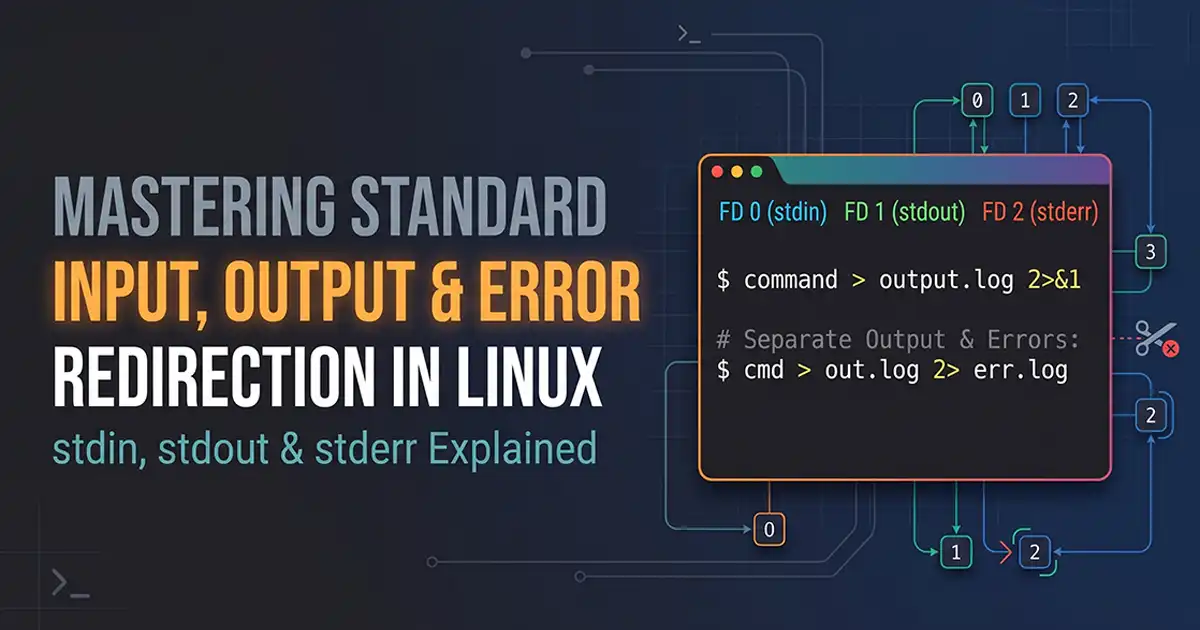
Mastering Standard Input, Output, and Error Redirection in Linux
Learn how standard input, standard output, and standard error work in Linux. Explore file descriptors, redirection operators, pipes, and practical commands for managing command output and error logs.

How to Install Vagrant on Ubuntu 24.04
Complete tutorial to install Vagrant on Ubuntu 24.04 LTS using official HashiCorp repositories, with VirtualBox provider and Vagrantfile workflows.

How to Install R on Ubuntu 24.04
Step-by-step guide to install R on Ubuntu 24.04 LTS from the official CRAN repository, configure build toolchains, and install statistical packages.

How to Make a Minecraft Server on Ubuntu 24.04
Complete guide to make a Minecraft server on Ubuntu 24.04 LTS using PaperMC, OpenJDK 21, systemd background service, UFW firewall, and automated backups.

How to Install and Use Curl on Ubuntu 24.04
Comprehensive tutorial to install and use curl on Ubuntu 24.04 LTS with practical examples for HTTP requests, file downloads, headers, and API debugging.

How to Install PDO Extension in PHP
PHP Data Objects (PDO) is one of the most important extensions in PHP for working with databases in a secure, consistent, and modern way. If you are building dynamic websites, APIs, CMS platforms, or enterprise applications, PDO is not opti...

How To Run XAMPP and IIS Together On the Same Machine
How to run XAMPP and IIS together on the same machine? Well, working together on both IIS & XAMPP can really be a tricky task for beginners. The main aim of this article is to help beginners to get XAMPP Apache Server and IIS server works t...

15+ Best Websites for Free Stock Videos (2026)
In 2026, high-quality visual content remains the backbone of successful digital storytelling, marketing, and online engagement. Whether you’re a filmmaker, YouTuber, digital marketer, business owner, or student, access to free stock videos ...

How To Install Nginx on Ubuntu Server: 4 Simple Steps
This guide covers an easy to follow, step-by-step guide on how to install Nginx on Ubuntu Server 18.04 LTE, 16.04, and 14.04. While writing this tutorial I used Ubuntu 18.04 LTE though these resources in the tutorial are useful in installin...

How to Create a Sticky Navbar in HTML & CSS: 2 Easy Steps
Creating a sticky navbar is a simple yet highly effective way to enhance the user experience of your website. A sticky navbar stays visible at the top of the page as users scroll down, providing easy access to navigation links without requi...
Join the Conversation & Perspective
Have thoughts, counterpoints, or reflections on this story? Engage directly with fellow readers and editorial contributors.
No comments on this guide yet. Be the first to share your thoughts or ask a question!